


Smart Plug Safety: 9 Rules for Every Room
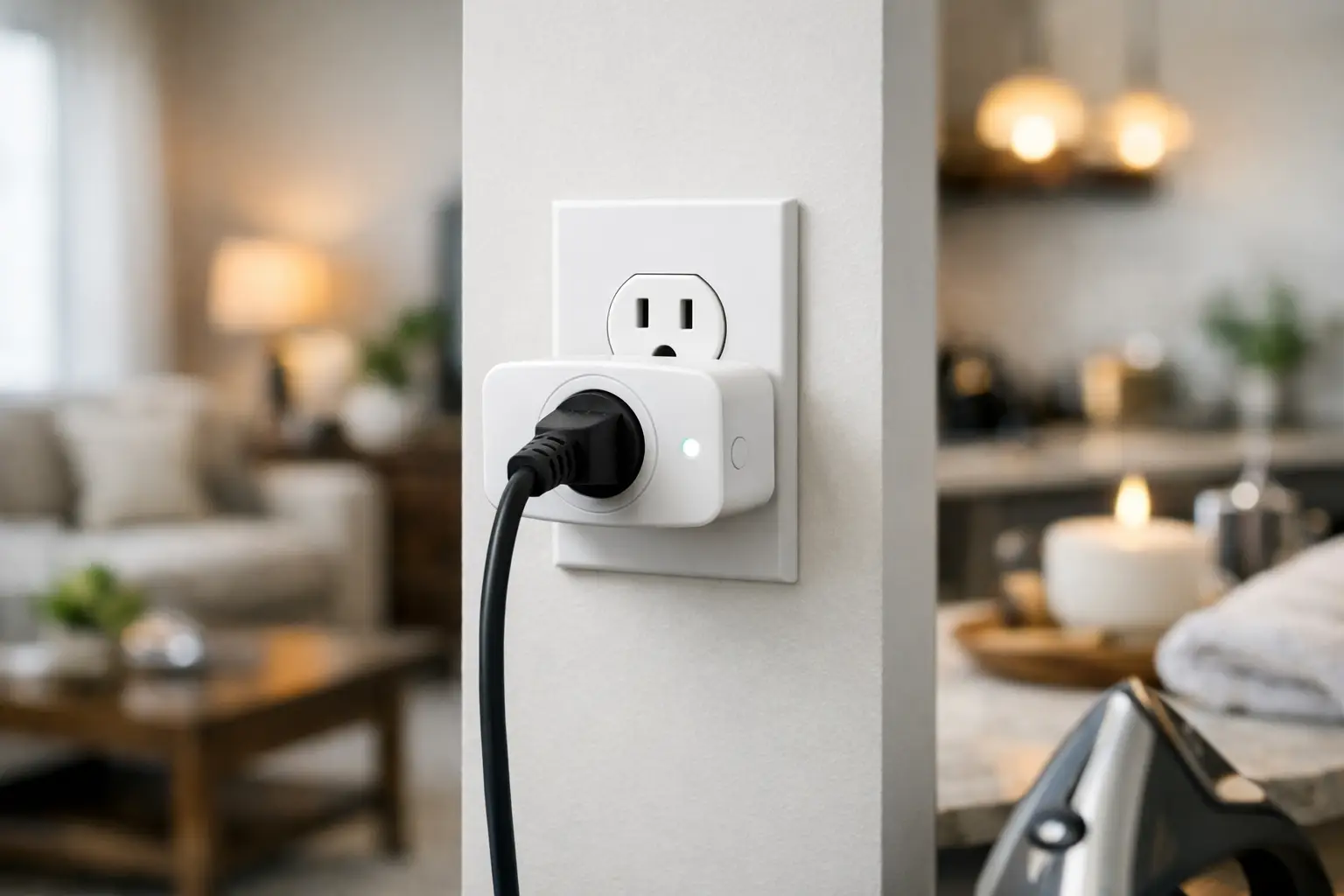
A smart plug can make a coffee maker feel like part of your morning routine or let you switch off a forgotten lamp from the couch. That convenience is exactly why smart plug safety deserves a quick check before you plug one in. These compact devices handle real household electricity, so the right setup matters as much as the app features.
The good news: safe use is usually straightforward. Pick a quality plug that suits the job, respect its electrical limits, and use it with appliances designed to be turned on and off automatically. A few smart habits help your home feel more convenient without introducing avoidable risk.
Smart Plug Safety Starts With the Load
Every smart plug has a maximum electrical rating, usually listed in amps and watts. That rating is not a suggestion. It is the hard ceiling for what the plug can safely control, and it needs to cover the appliance you connect.
For many standard US smart plugs, the limit is 15 amps and around 1,800 watts on a 120-volt circuit. A small table lamp, fan, humidifier, holiday lights, or phone charger uses far less. A space heater, window air conditioner, clothes iron, toaster oven, or large kitchen appliance may use much more power, especially when heating or starting up.
Check the appliance label before pairing it with a plug. Look for watts or amps, then compare that number to the smart plug’s rating. If an appliance lists watts only, divide watts by 120 to get an approximate amp draw. For example, a 1,500-watt heater draws about 12.5 amps. That leaves very little room below a 15-amp maximum, which is one reason high-heat appliances are usually a poor choice for standard smart plugs.
Do not assume that a small-looking appliance has a small load. Heating elements are power-hungry, and motors can pull extra power when they start. When in doubt, choose a lower-demand device or use a smart plug specifically rated for the equipment and location.
Use Smart Plugs for the Right Jobs
Smart plugs work best with appliances that are safe to operate unattended and resume their normal function when power returns. A simple mechanical lamp switch, for instance, can stay in the “on” position while the plug controls power. The same goes for many basic fans, decorative lights, and certain coffee makers with their own automatic shutoff.
They are less suitable for appliances that create heat, involve water, or require someone nearby to monitor them. Avoid using a standard smart plug to run space heaters, heating pads, electric blankets, curling irons, portable cooking appliances, or anything that could become hazardous if switched on unexpectedly.
This is also where the appliance’s own design matters. A plug can turn electricity on, but it cannot make a device safer than it was built to be. If your coffee maker, diffuser, or other device does not restart automatically after a power interruption, a smart plug will not change that. Test it manually before relying on a schedule.
For homes with kids or pets, think beyond wattage. An accessible fan, lamp cord, or plugged-in appliance can still be pulled, chewed, or knocked over. Smart automation should reduce little daily hassles, not leave an energized device within easy reach.
Give the Plug a Safe Outlet and Enough Space
Plug smart plugs directly into a firmly mounted wall outlet whenever possible. The connection should feel secure, not loose or wobbly. A loose outlet can create heat at the contact points, whether a smart plug is involved or not, and should be inspected by a qualified electrician.
Avoid stacking adapters, plugging one smart plug into another, or using a smart plug with a power strip unless both manufacturers clearly allow that arrangement. Daisy-chaining creates more connection points, more opportunities for overload, and more clutter around the outlet. One smart plug should control one appropriate device.
Placement matters, too. Keep plugs dry, visible, and free from curtains, bedding, rugs, or piles of clothing. Do not cover them or squeeze them behind heavy furniture where heat cannot dissipate and where you will not notice a problem. In kitchens, bathrooms, garages, laundry areas, and outdoor spaces, use products rated for damp or outdoor conditions as applicable and plug them into a GFCI-protected outlet.
If you use a plug outdoors, indoor-only hardware is not a shortcut. Rain, condensation, and temperature swings require weather-resistant equipment, protected connections, and an outdoor-rated enclosure when needed.
Buy With Safety Marks in Mind
A smart plug’s low price can be appealing, but it should not be the only deciding factor. Look for a recognizable safety certification mark, such as UL, ETL, or CSA, on the product or packaging. These marks indicate testing against relevant electrical safety standards. They do not replace good judgment, but they are a meaningful buying signal.
Read the listing details for voltage, maximum load, indoor or outdoor use, Wi-Fi requirements, and supported voice assistants before ordering. A plug that matches your home setup is less likely to be forced into a job it was not made to do. At PO-Store, practical smart-home finds should make everyday routines easier, so choosing the right fit is always the smart first step.
Once it arrives, inspect the plug before use. Skip it if the housing is cracked, the prongs are bent, the buttons stick, or the packaging suggests damage. Register the product or save your order details if the manufacturer offers recall notifications or warranty support.
Set Up Automations That Make Sense
A schedule is helpful only when it reflects how your home actually runs. Start with low-risk automations: turn a living-room lamp on around sunset, switch off decorative lights at bedtime, or power down a desk fan after a set period. These are easy wins that build confidence with the technology.
Use the app’s timer and away mode thoughtfully. A random lighting schedule can help make an empty home look lived in, but it should control lamps only, not appliances that need supervision. If your smart plug offers energy monitoring, review the readings occasionally. A sudden change in power use can reveal a failing appliance or a device left running longer than intended.
Name each plug clearly in the app. “Bedroom Lamp” is much safer than “Plug 3,” especially if multiple people in the house use voice controls. Clear names reduce the chance of switching on the wrong device from another room.
It is also wise to keep your home network protected. Use a strong, unique Wi-Fi password, update your router, and install smart plug firmware updates when they are available. These steps help maintain reliable control and reduce the risk of unwanted access to connected devices.
Know the Warning Signs
Smart plugs should not become hot during normal use. A little warmth can occur with some electronics, but a hot casing, burning smell, buzzing sound, discoloration, flickering power, or repeated connection dropouts calls for action. Unplug the device if it is safe to do so, stop using it, and inspect both the plug and the appliance.
Do not continue using a plug that trips a breaker or makes an outlet feel warm. A breaker is doing its job by signaling a potential overload or fault. Resetting it without understanding the cause can turn a warning into a bigger problem.
If an outlet sparks, smells burnt, feels loose, or has visible damage, do not use it for any device. Contact a qualified electrician. Smart-home gear can add convenience, but it cannot solve an underlying wiring issue.
A Quick Smart Plug Safety Check Before You Automate
Before you rely on a new setup, take one minute to confirm four things: the plug is safety-certified and undamaged, the appliance is below the rated load, the outlet is dry and secure, and the device is safe to operate without supervision. Then test the on, off, and scheduled functions while you are home.
That small check turns a trending home upgrade into a dependable everyday helper. Start with a lamp or another low-risk device, learn what your plug can do, and add automation where it genuinely makes your routine lighter.













Leave a comment